
ENGINEERING NOTES / DEVOPS, IAC
Run Ansible Playbook From Terraform: Provision and Configure EC2 in AWS
Combine Terraform and Ansible to fully automate AWS Bastion Host deployment. This project provisions EC2 infrastructure and configures it with Docker/Compose v2 in one single, repeatable IaC workflow.
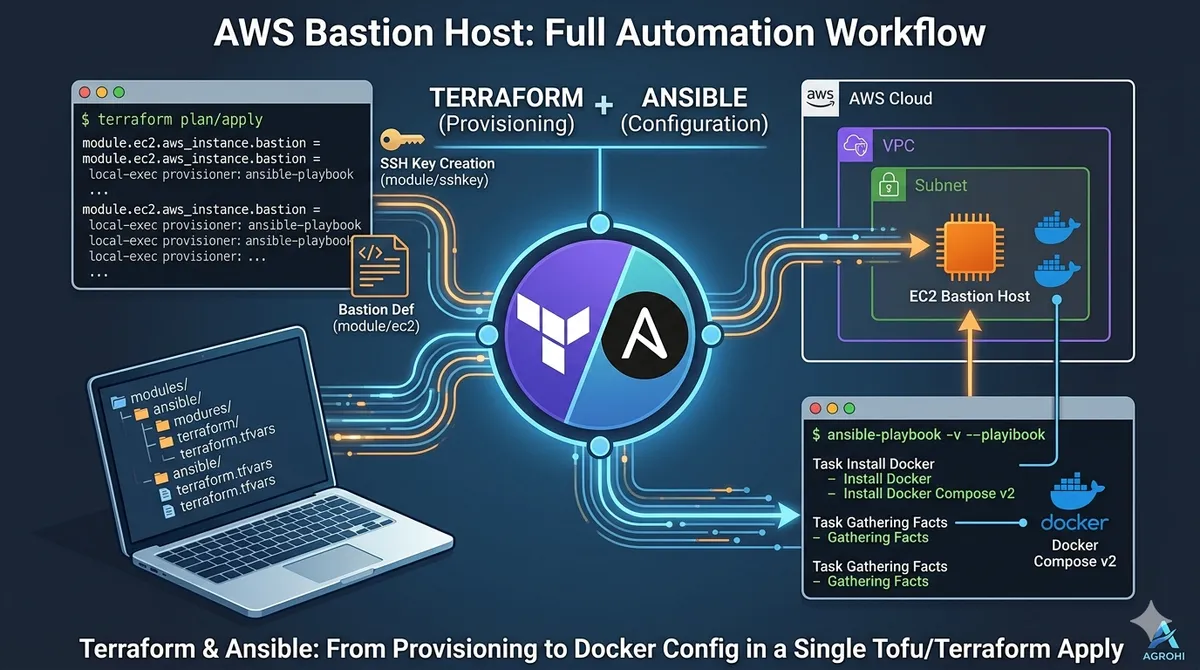
Often we have to provision EC2 instances as bastion hosts and then \ we run ansible playbooks or init scripts to install packages or configure the system. But if we run terraform and ansible in one go that would save time as we as reduce toil.
In this article, we are going to learn how to achieve this goal. We will set up a bastion host and install docker and docker-compose v2 automagically!
Terminal Time
Clone the repository, and edit the files at
https://github.com/by-sabbir/terraform-ansible-ec2
modules/ec2/variables.tfmodules/sshkey/variables.tf./variables.tf
Change the variables with your VPC ID, Public Subnet, Private, and Public key. This process can also be automated if deploy from scratch or use an external terraform data resource.But that is out of the scope of this article. Now run the following commands:
terraform planThis will show the provisioning plan and/or show if the infra code has any error.
Assuming the previous command executed successfully, let’s provision the infrastructure —
terraform apply --auto-approveAfter successful completion, you’ll get something similar to this,
Press enter or click to view image in full size
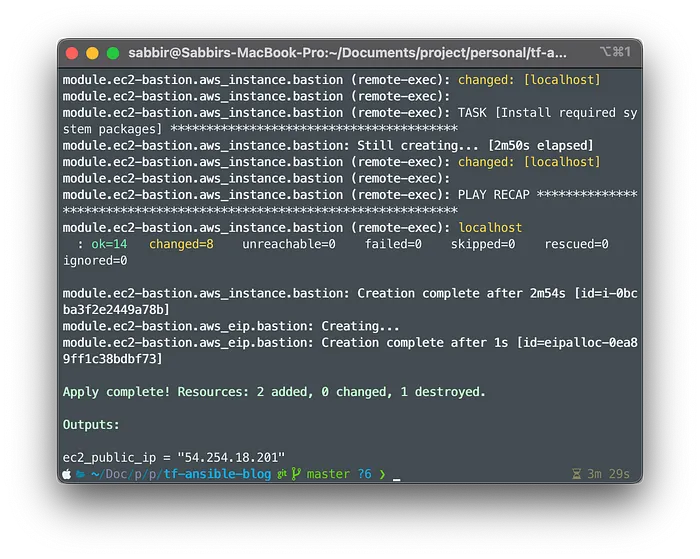
Awesome! Now you should be able to ssh into the server via the private key specified at modules/ec2/variables.tf
Getting a Closer Look
—
Project Structure
I decided to go with moduler or module-based approach for this project. This enables us to reuse our IaC. Also, you can start a terraform monorepo for all your infrastructure resources in production with this pattern.
.
├── ansible
├── modules
│   ├── ec2
│   └── sshkey
└── main.tf
ansible folder contains an installation script and the playbook. Our main focus is the modules folder. This holds all the resources for your infrastructure. We can use outputs of any resource to provision other resources, we can independently update/delete any component for the infrastructure from and within this folder. I just love this IaC structure.
Now, the rest is easy. Let’s dissect the following terraform code line 79–126 from modules/ec2/main.tf,
We declared the connectionmethod for the EC2 as SSH, so we provided the block with a private key, personally, I would take ed25519 for the public key cryptography anyday and everyday. This will be used by the file and remote-execprovisioner. Let’s take a look at the ansible/install.sh file —
This is a pretty simple script, we are updating the package cache of the newly created VM and then installing ansible. Finally, we run the ansible playbook. The ansible playbook contains the necessary steps to install docker and the compose plugin.
Note: I did not manage state and locking. If you use it for production please use remote state and locking mechanisms of your choice.
Cleaning Up
terraform destroyThat’s it! Improvements/ideas will be highly appreciated.
Happy Architecting…
A FRESH PERSPECTIVE ON YOUR CLOUD
Great engineering starts
with a good conversation.
Let’s talk about what’s working, what’s slowing you down, and what comes next.
Talk to an engineer ↗